
Your Google Business Profile is often the first impression customers get when they search for your business online. Whether someone searches for a dental clinic, restaurant, hospital, salon, gym, or local service provider, the images displayed on your profile directly influence trust and engagement. Among all the visuals, understanding the correct Google My Business cover photo size is extremely important for creating a professional and attractive business profile.
A properly optimized cover image helps your business stand out in Google Search and Google Maps. It improves branding, creates credibility, and encourages customers to interact with your profile. Many businesses upload random images without considering dimensions, resolution, or visibility, which can negatively affect the appearance of the profile.
This detailed guide explains everything about Google My Business cover photo size, ideal dimensions, image optimization, best practices, SEO benefits, common mistakes, and tips for creating high-quality cover photos that attract more local customers.
What Is Google My Business Cover Photo Size?
The Google My Business cover photo size refers to the recommended dimensions and resolution used for the primary banner image displayed on a Google Business Profile.
The cover photo represents your business visually and appears prominently when users search for your brand or services on Google Search and Google Maps.
Google allows businesses to upload multiple images, but the cover photo acts as the main branding image that customers notice first.
Recommended Google My Business Cover Photo Size
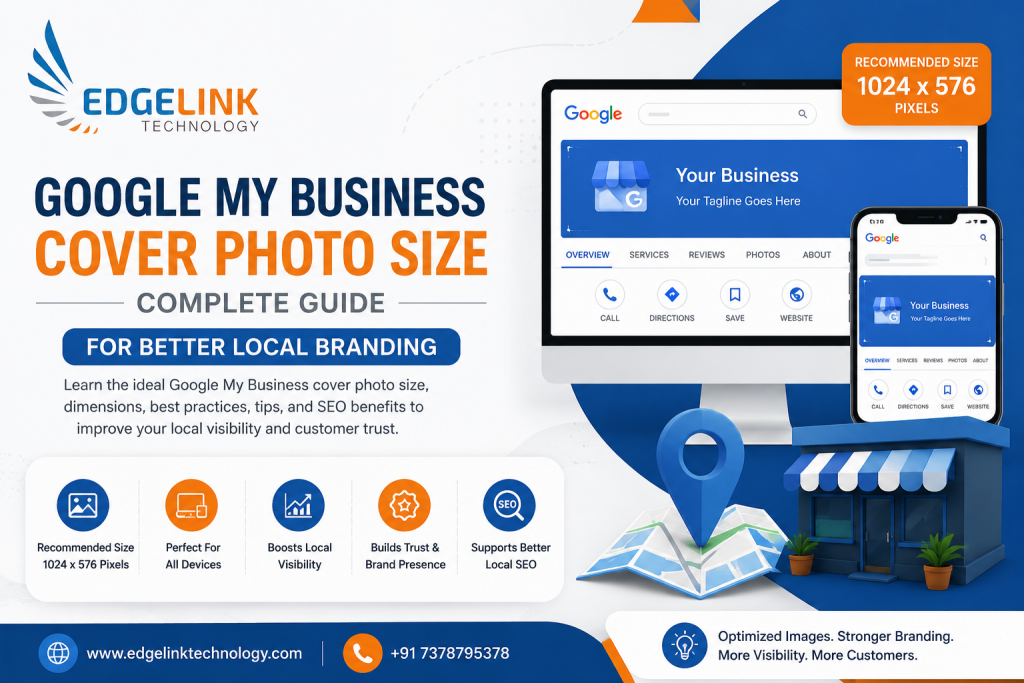
Understanding the ideal Google My Business cover photo size is essential for maintaining image quality and proper display across different devices.
Recommended Dimensions
The ideal dimensions are:
- Width: 1024 pixels
- Height: 576 pixels
This follows a 16:9 aspect ratio, which works best for most business categories.
Minimum Google My Business Cover Photo Size
Google also specifies minimum image requirements for profile uploads.
Minimum Size Requirements
- Minimum width: 480 pixels
- Minimum height: 270 pixels
Images smaller than this may appear blurry or may not upload properly.
Maximum File Size for Google My Business Cover Photos
While optimizing the Google My Business cover photo size, file size also matters.
Maximum File Size
- Up to 5 MB
Keeping the file optimized ensures faster loading and better image quality.
Why Google My Business Cover Photo Size Matters
Many businesses underestimate the importance of choosing the correct Google My Business cover photo size. However, optimized images can directly affect customer trust and engagement.
Benefits of Using the Correct Google My Business Cover Photo Size
- Professional Business Appearance: High-quality cover photos create a strong first impression and make the business profile look more trustworthy.
- Better User Engagement: Customers are more likely to interact with profiles that include visually appealing images.
- Improved Brand Identity: Consistent cover photos help strengthen brand recognition.
- Enhanced Local SEO Signals: Well-optimized images may contribute positively to local search visibility.
- Better Mobile Display: Correct dimensions ensure proper viewing across smartphones, tablets, and desktops.
Best Image Format for Google My Business Cover Photo Size
Google supports multiple image formats, but some formats perform better than others.
Recommended Formats
- JPG or JPEG
- Best for photographs
- Smaller file sizes
- Faster loading speed
- PNG
- Better for logos and graphics
- Higher image quality
- Supports transparency
For most businesses, JPG is preferred for cover photos due to balanced quality and performance.
Types of Images You Can Use for Google My Business Cover Photo Size
Selecting the right image is equally important as choosing the correct Google My Business cover photo size.
Business Exterior Photos
Exterior images help customers recognize your location easily.
These are useful for:
- Clinics
- Restaurants
- Retail stores
- Salons
- Hospitals
Interior Business Photos
Interior images showcase professionalism and cleanliness.
Examples include:
- Reception areas
- Treatment rooms
- Dining areas
- Office spaces
Service-Based Images
Service-related photos improve trust and demonstrate expertise.
Examples:
- Dental equipment
- Orthopedic treatment setup
- Gym infrastructure
- Beauty salon setup
Team and Staff Images
Professional staff images help humanize the business and build credibility.
Logo-Based Cover Photos
Some businesses use branding-focused designs with logos, taglines, and service highlights.
This is common for:
- Digital marketing agencies
- Clinics
- Corporate offices
- Startups
Google My Business Cover Photo Size for Mobile Devices
Most local searches happen on smartphones, making mobile optimization extremely important.
When designing for mobile:
- Keep important text centered
- Avoid placing logos at the edges
- Maintain clear spacing
- Use readable fonts
A properly optimized Google My Business cover photo size ensures consistent display on all devices.
Common Mistakes in Google My Business Cover Photo Size
Many businesses upload poor-quality images that negatively impact profile appearance.
- Using Low-Resolution Images
- Blurry images create a negative impression and reduce professionalism.
- Always upload high-resolution images.
- Adding Too Much Text
- Excessive text can clutter the cover photo and reduce readability on mobile devices.
- Ignoring Safe Margins
- Important content near edges may get cropped on some devices.
- Overediting Images
- Avoid excessive filters, unrealistic colors, or overly promotional designs.
- Using Irrelevant Stock Images
- Authentic business photos perform better than generic stock visuals.
Best Practices for Google My Business Cover Photo Size
Following proper optimization techniques improves visibility and branding.
Use High-Quality Professional Images
- Invest in professional photography whenever possible.
- High-quality images increase trust and customer engagement.
Maintain Proper Lighting
- Bright and clear images appear more attractive and professional.
Keep Branding Consistent
- Use brand colors, logos, and typography consistently across all business images.
Optimize Image File Name
- Before uploading, rename images using relevant keywords.
Example:
- google-my-business-cover-photo-size.jpg
This may help with image organization and SEO.
Update Cover Photos Regularly
Refreshing images keeps the business profile active and visually updated.
Businesses can upload:
- Festival offers
- Seasonal promotions
- New services
- Renovated interiors
Google My Business Cover Photo Size and Local SEO
Many businesses ask whether images affect rankings.
While images alone may not directly improve rankings, optimized visuals contribute positively to overall local SEO performance.
How Google My Business Cover Photo Size Supports SEO
- Better User Engagement: Profiles with quality images often receive more clicks and interactions.
- Improved Customer Trust: Professional visuals increase credibility and customer confidence.
- Increased Profile Activity:More engagement may improve profile relevance signals.
- Enhanced Click-Through Rate: Attractive cover photos encourage users to explore the business profile further.
Ideal Design Tips for Google My Business Cover Photo Size
Creating a visually appealing cover image requires good design planning.
Use Minimal Text
Short headlines perform better than cluttered designs.
Examples:
- Advanced Dental Care
- Expert Orthopedic Treatment
- Trusted IVF Center
Highlight Core Services
Include one or two major services instead of overcrowding the design.
Use Clear Fonts
Readable typography is important, especially on mobile screens.
Keep the Layout Clean
Minimal and modern designs look more professional.
Industries That Benefit From Optimized Google My Business Cover Photo Size
Almost every business category can benefit from high-quality cover photos.
Healthcare Clinics
Clinics and hospitals can showcase:
- Modern equipment
- Clean interiors
- Specialist departments
Restaurants and Cafes
Food businesses can highlight:
- Signature dishes
- Interior ambiance
- Seating arrangements
Salons and Spas
Beauty businesses can display:
- Luxury interiors
- Beauty stations
- Premium services
Gyms and Fitness Centers
Fitness businesses can showcase:
- Workout areas
- Equipment
- Training sessions
Educational Institutes
Schools and coaching centers can display:
- Campus facilities
- Smart classrooms
- Student activities
Tools for Designing Google My Business Cover Photo Size
Businesses can use several tools for designing optimized cover images.
Popular tools include:
- Canva
- Adobe Photoshop
- Figma
- Adobe Express
- CorelDRAW
These platforms allow businesses to create professional visuals with correct dimensions.
Google My Business Cover Photo Size vs Logo Size
Many users confuse cover photos with logo images.
Cover Photo
- Large banner-style image
- Represents overall branding
Logo Image
- Small business icon
- Used for brand recognition
Both should be optimized separately.
How Often Should You Change Google My Business Cover Photos?
Regular updates help keep the profile fresh and engaging.
Businesses can update cover photos:
- Monthly
- During promotions
- During festivals
- After renovations
- When introducing new services
Frequent updates may improve customer interaction.
Tips to Increase Customer Engagement Through Google My Business Cover Photo Size
Showcase Real Business Environment
Authentic images perform better than generic stock visuals.
Add Emotional Appeal
Warm, inviting, and clean visuals improve user trust.
Focus on Clarity
Avoid overcrowded designs.
Highlight Unique Selling Points
Mention key strengths visually, such as:
- Advanced Technology
- Experienced Doctors
- 24/7 Service
- Premium Quality
Future Trends in Google My Business Cover Photo Size
Business profiles are becoming more visual-focused.
Future trends may include:
- Interactive visuals
- AI-enhanced image optimization
- Better mobile-first layouts
- Personalized customer experiences
Businesses investing in high-quality branding images today may gain stronger visibility in local search competition.
Conclusion
Understanding the correct Google My Business cover photo size is essential for building a strong and professional local business presence. A high-quality cover image improves branding, customer trust, and profile engagement while helping businesses stand out in Google Search and Google Maps.
Using the recommended dimensions, maintaining high image quality, and following modern design practices can significantly improve how customers perceive your business online.
Whether you run a clinic, restaurant, gym, salon, or corporate business, investing time in optimizing your Google Business Profile through edgelinktechnology visuals can create a powerful first impression and improve local customer engagement.

Naveen Sahu
Naveen Sahu is a Senior SEO at Edgelink Technology Pvt Ltd with a deep understanding of search algorithms and a passion for driving organic growth. He is driven by data, fueled by analytical problem-solving, and committed to crafting search strategies that deliver measurable, long-term results. Outside of work, he enjoys unwinding by watching movies and getting lost in a good book.